Best Mechanical Keyboards for Writers and Programmers in 2026 — Top 5 Typing-Focused Boards That Feel Like a Dream
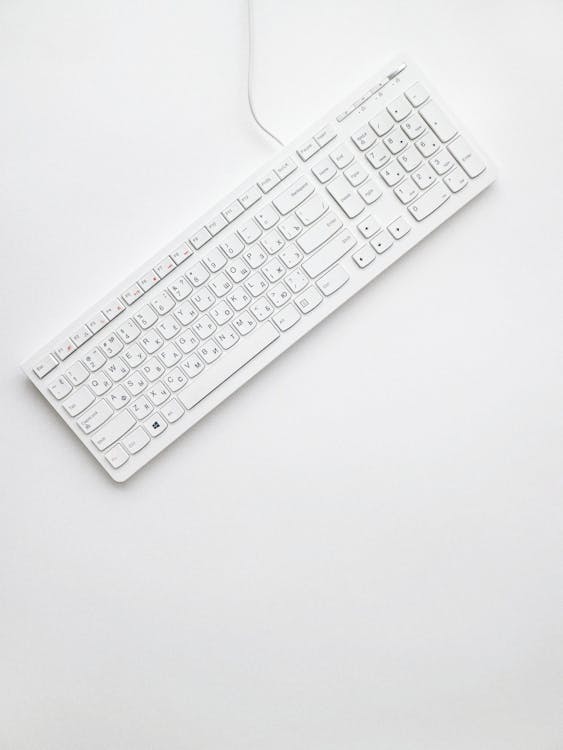
If you spend 8+ hours a day typing — whether you're writing code, drafting articles, or answering emails — your keyboard is the single most important tool on your desk. A great mechanical keyboard doesn't just feel satisfying; it reduces fatigue, increases typing speed, and can prevent repetitive strain injuries that plague writers and programmers alike.
But the mechanical keyboard market in 2026 is overwhelming. RGB everything, gasket mounts, hot-swap PCBs, linear vs. tactile vs. clicky — it's a rabbit hole. This guide cuts through the noise and focuses on what actually matters for writers and programmers: comfortable switches, reliable build quality, and layouts that boost productivity.
What to Look for in a Typing-Focused Mechanical Keyboard
Before we dive into specific picks, here's what separates a great typing keyboard from a gaming one:
Switch type matters most. Tactile switches (like Cherry MX Brown or Gateron Brown) give you a subtle bump at the actuation point without the loud click. This feedback helps typists maintain rhythm without bottoming out. Linear switches (Cherry MX Red) are smooth but lack that feedback — better for gaming, less ideal for long writing sessions.
Layout affects workflow. Programmers often prefer 75% or TKL (tenkeyless) layouts that keep the arrow keys and function row while freeing desk space. Writers might want a full-size board for number-heavy work, or a compact 65% if they value portability.
Build quality and sound profile. A well-dampened board with a solid aluminum or polycarbonate case produces a satisfying "thock" instead of a hollow rattle. Gasket-mounted keyboards flex slightly with each keystroke, reducing fatigue over long sessions.
1. Keychron Q1 Max — Best Overall for Programmers

The Keychron Q1 Max has been a community favorite since its release, and the 2026 revision only solidifies its position. This 75% gasket-mounted board comes with a full aluminum CNC case, hot-swappable switches, and triple connectivity (Bluetooth 5.1, 2.4GHz dongle, USB-C).
For programmers, the 75% layout is perfect — you keep your function row and arrow cluster without the bulk. The stock Gateron Jupiter Brown switches are excellent tactile switches with a clean bump and minimal pre-travel. The QMK/VIA firmware support means you can remap every single key, create custom layers, and set up macros for your IDE.
Price: ~$199
• Gasket mount = comfortable long sessions
• QMK/VIA fully programmable
• Triple wireless connectivity
• Hot-swap switches
• Premium aluminum build
• Heavy (4.5 lbs) — not travel-friendly
• Stock keycaps are decent, not premium
• RGB can be distracting (easily disabled)
2. Leopold FC660M — Best for Writers Who Want Simplicity
The Leopold FC660M is the anti-hype keyboard. No RGB, no wireless, no software — just impeccable build quality and one of the best stock typing experiences money can buy. Leopold has been making keyboards for over 15 years, and it shows.
This 65% board uses Cherry MX switches (available in Brown, Blue, Red, Clear, and Silent Red). For writers, the Cherry MX Brown variant hits the sweet spot — tactile feedback without noise. The double-shot PBT keycaps are thick, textured, and will never fade or shine. The internal sound-dampening foam eliminates hollow echoes.
Why writers love it: it's distraction-free. No software to configure, no lighting to fiddle with. Plug it in and type. The compact 65% layout includes dedicated arrow keys (essential for text editing) while taking up minimal desk space.
Price: ~$120
• Best-in-class stock typing feel
• Premium PBT keycaps included
• Internal dampening foam
• Rock-solid reliability
• Compact 65% with arrow keys
• No wireless option
• Not hot-swappable
• Limited availability outside Asia
3. HHKB Professional Hybrid Type-S — Best Premium Pick for Coders
The Happy Hacking Keyboard (HHKB) Professional Hybrid Type-S is legendary in programming circles. Its Topre electrocapacitive switches produce a unique tactile feel that's somewhere between mechanical and membrane — and once you try it, regular mechanical switches feel crude by comparison.
The "Type-S" designation means silenced: each keystroke is dampened to produce a refined, library-quiet "thock." The compact 60% layout puts Ctrl where Caps Lock normally sits (where it belongs, according to every Unix developer), and the Bluetooth + USB-C connectivity means it works everywhere.
Yes, the $280+ price tag is steep. But programmers who use an HHKB tend to use it for 5-10+ years. The Topre switches are rated for 50 million keystrokes and the PBT keycaps are virtually indestructible.
Price: ~$285
• Topre switches — uniquely satisfying
• Silenced (Type-S) for office/coworking
• Legendary durability
• Programmer-optimized layout
• Bluetooth + USB-C
• Expensive
• Unusual layout has a learning curve
• No arrow keys (Fn layer only)
• Not hot-swappable
4. Logitech MX Mechanical Mini — Best for Multi-Device Productivity
Not everyone wants to go deep into the enthusiast rabbit hole. The Logitech MX Mechanical Mini bridges the gap between mainstream and mechanical, offering low-profile mechanical switches in Logitech's proven MX ecosystem.
The killer feature: Easy-Switch lets you pair with 3 devices and swap between them with a button press. Switch from your Mac to your Windows PC to your iPad instantly. For writers and remote workers who juggle multiple devices, this is genuinely life-changing.
The low-profile Tactile Quiet switches provide subtle feedback without the height of traditional mechanical switches, meaning your wrists stay in a more natural position. Battery life is exceptional — up to 10 months with backlighting off.
Price: ~$150
• 3-device Easy-Switch
• Low-profile = better ergonomics
• 10-month battery life
• Logi Options+ software for customization
• Compact 75% layout
• Low-profile switches aren't for everyone
• Not hot-swappable
• Plastic build feels less premium
• Proprietary switches (no aftermarket options)
5. NuPhy Air75 V2 — Best Low-Profile Wireless for Travel
The NuPhy Air75 V2 is the keyboard you throw in your backpack. At just 16mm thin and under 1.5 lbs, it's one of the thinnest mechanical keyboards available — and it doesn't sacrifice typing quality to get there.
NuPhy's Gateron low-profile switches (available in Brown tactile, Red linear, and Blue clicky) offer surprisingly good feedback for their slim profile. The V2 adds a gasket mount structure, improved Bluetooth 5.1, and a 2.4GHz dongle for lag-free wireless. PBT keycaps come standard.
For digital nomads, traveling writers, and programmers who work from coffee shops, the Air75 V2 solves the portability problem without resorting to a mushy laptop keyboard.
Price: ~$130
• Ultra-thin and lightweight
• Hot-swappable low-profile switches
• Gasket mount for a thin board
• Tri-mode connectivity
• Great PBT keycaps
• Low-profile travel ≠ deep tactile feel
• Keycap compatibility limited
• RGB battery drain significant
Quick Comparison Table
Keychron Q1 Max — 75%, Gateron Brown, $199, Best for programmers
Leopold FC660M — 65%, Cherry MX, $120, Best for minimalist writers
HHKB Type-S — 60%, Topre, $285, Best premium coder board
Logi MX Mech Mini — 75%, Low-profile, $150, Best multi-device
NuPhy Air75 V2 — 75%, Low-profile, $130, Best for travel
Our Top Pick
🏆 Keychron Q1 Max
For the best balance of typing feel, programmability, and build quality, the Keychron Q1 Max wins. It's the keyboard that grows with you — hot-swap the switches when your preferences evolve, remap every key for your workflow, and enjoy a gasket-mount typing experience that makes 10-hour coding sessions comfortable. At $199, it's a serious tool for serious typists.
If portability matters most, grab the NuPhy Air75 V2. If you want the most refined typing experience money can buy and you code for a living, the HHKB Type-S is worth the investment.
Whichever you choose, upgrading from a rubber dome or laptop keyboard to a quality mechanical board is one of the highest-ROI purchases any writer or programmer can make. Your fingers will thank you.
Affiliate Disclosure: The Smart Pick earns commissions from qualifying purchases through the links in this article, at no extra cost to you. We only recommend products we genuinely believe in.
Comments
Post a Comment