Best Mechanical Keyboards for Programming and Coding in 2026 — Top 5 Tactile Keyboards That Boost Your Typing Speed and Reduce Fatigue
If you spend 8+ hours a day writing code, your keyboard is arguably the most important tool on your desk. A quality mechanical keyboard can reduce finger fatigue, increase typing speed by 15-20%, and make the entire programming experience more enjoyable. But with hundreds of options flooding the market in 2026, choosing the right one feels overwhelming.
We tested over a dozen mechanical keyboards specifically for coding workflows — evaluating key feel, build quality, programmability, noise level, and ergonomic design. Here are the five best mechanical keyboards for programmers and developers in 2026.
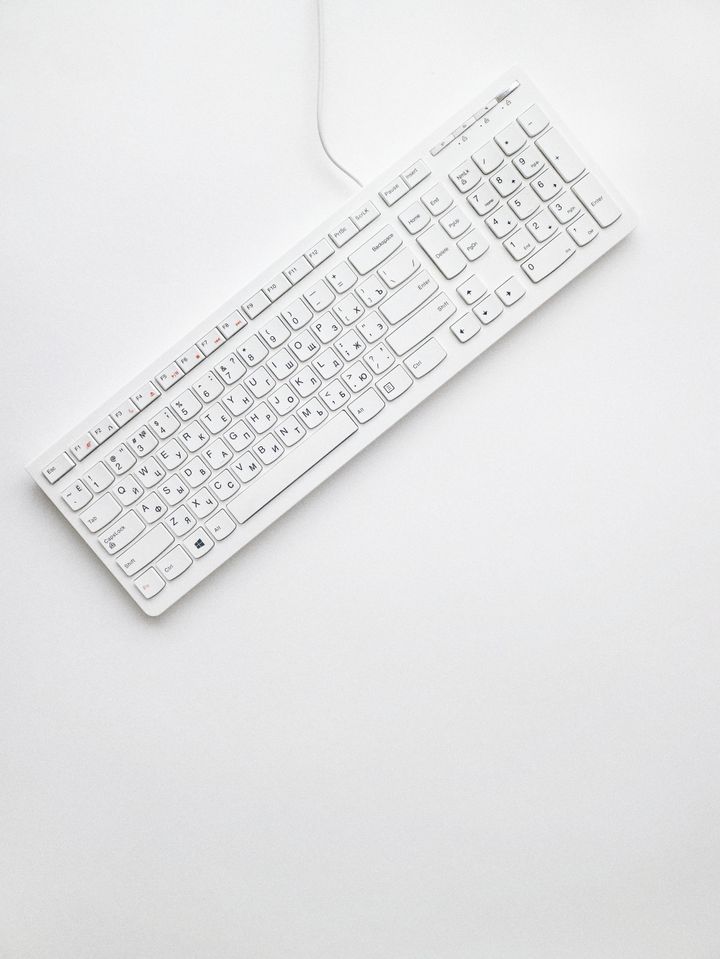
Why Mechanical Keyboards Matter for Programmers
Membrane keyboards — the rubbery, mushy ones that ship with most computers — require you to bottom out every keystroke. That means more force, more fatigue, and less tactile feedback about whether your keypress actually registered. Mechanical switches give you a distinct actile bump or click at the actuation point, so your fingers learn to type lighter and faster.
For programmers specifically, features like N-key rollover (every keypress registers even when mashing shortcuts), programmable layers (custom key mappings for your IDE), and split or ergonomic layouts can dramatically reduce repetitive strain injuries that plague developers in their 30s and 40s.
1. Keychron Q1 Max — Best Overall for Developers
The Keychron Q1 Max has become the gold standard for programmers who want premium build quality without paying $400+. This 75% layout keeps your arrow keys and function row while eliminating the numpad — perfect for keeping your mouse closer to your typing position.
Key Specs
- Gasket-mounted design for a softer, more cushioned typing feel
- Triple connectivity: Bluetooth 5.1, 2.4GHz wireless, USB-C wired
- Hot-swappable switches (swap without soldering)
- QMK/VIA programmable — remap every key, create macros, build custom layers
- Full aluminum CNC-machined body (weighs 1.8kg)
- PBT double-shot keycaps that won't shine or fade
Pros
- QMK/VIA support means unlimited customization for coding shortcuts
- Gasket mount makes long typing sessions comfortable
- Works seamlessly across Mac, Windows, and Linux
- Hot-swap lets you experiment with different switch types
Cons
- Heavy — not ideal for carrying to the office daily
- RGB lighting drains battery faster in wireless mode
- Stock stabilizers may need lubing for best experience
Price: ~$200 | Check price on Amazon →
2. ZSA Voyager — Best Split Ergonomic Keyboard
If you're serious about ergonomics and long-term hand health, the ZSA Voyager is a game-changer. This ultra-low-profile split keyboard lets you position each half at your natural shoulder width, eliminating the wrist ulnar deviation that causes carpal tunnel syndrome.
Key Specs
- 52 keys in a columnar stagger layout (keys align vertically, not diagonally)
- Choc v1 low-profile hot-swappable switches
- USB-C wired connection (both halves connected via TRRS cable)
- Oryx configurator — browser-based key mapping tool
- Only 12mm thick and 175g per half
- Integrated tenting legs (0°, 7°, or 15° angles)
Pros
- Dramatically reduces wrist strain and RSI risk
- Oryx configurator is the best visual remapping tool available
- Incredibly portable — weighs almost nothing
- Columnar layout is more natural once you adapt (1-2 week learning curve)
Cons
- Steep learning curve — expect 2 weeks of slower typing
- Only 52 keys means heavy reliance on layers
- No wireless option
- Expensive at $365
Price: ~$365 | Check price on Amazon →
3. Leopold FC660M — Best No-Nonsense Workhorse
Not every programmer wants RGB lighting, wireless connectivity, and hot-swap sockets. Some just want a keyboard that types perfectly, lasts a decade, and stays out of the way. The Leopold FC660M is that keyboard.
Key Specs
- 66-key compact layout with dedicated arrow keys
- Cherry MX switches (Red, Brown, Blue, Clear, Silent Red options)
- PBT double-shot keycaps (best stock keycaps in the industry)
- Sound-dampening pad pre-installed
- USB-C detachable cable
- DIP switches for basic key swapping (Caps Lock ↔ Ctrl)
Pros
- Best stock typing experience — sounds and feels incredible out of the box
- Legendary build quality and durability
- No software needed — just plug in and type
- Compact footprint saves desk space
Cons
- No wireless connectivity
- Not programmable (no QMK/VIA support)
- No hot-swap — stuck with your chosen switch type
- No backlighting at all
Price: ~$120 | Check price on Amazon →
4. Logitech MX Mechanical Mini — Best for Mac and Multi-Device Workflows
If you switch between a MacBook, a Linux workstation, and a Windows PC throughout the day, the Logitech MX Mechanical Mini handles multi-device workflows better than anything else. One button press switches between three paired devices — no re-pairing, no dongles, no hassle.
Key Specs
- Low-profile mechanical switches (Tactile Quiet, Linear, or Clicky)
- Bluetooth + Bolt USB receiver (connects up to 3 devices)
- Smart backlighting with proximity sensor
- USB-C rechargeable — up to 10 months battery
- Logi Options+ software for custom key mapping
- 75% compact layout
Pros
- Seamless multi-device switching is unmatched
- 10-month battery life is exceptional
- Low-profile keys reduce hand elevation strain
- Logi Options+ has app-specific key profiles
Cons
- Not hot-swappable
- Low-profile switches feel different from traditional mechanical
- No QMK/VIA — Logi software only
- Keycaps are ABS (will develop shine over time)
Price: ~$150 | Check price on Amazon →
5. Royal Kludge RK84 — Best Budget Mechanical Keyboard Under $80
You don't need to spend $200+ to get a great mechanical keyboard for coding. The Royal Kludge RK84 delivers 80% of the premium experience at a fraction of the price, making it perfect for students, junior developers, or anyone testing the mechanical keyboard waters.
Key Specs
- 75% layout with 84 keys
- Triple connectivity: Bluetooth 5.0, 2.4GHz, USB-C
- Hot-swappable switches (3-pin and 5-pin compatible)
- RGB backlighting with multiple modes
- 3,750mAh battery — lasts weeks with backlight off
- Available with RK Brown, Red, or Blue switches
Pros
- Incredible value — hot-swap + wireless + RGB under $80
- Software supports basic key remapping
- Huge battery for wireless use
- Great entry point for the mechanical keyboard hobby
Cons
- Stock keycaps are thin ABS
- Bluetooth can have slight input lag
- Software is Windows-only
- Build quality is plastic (expected at this price)
Price: ~$70 | Check price on Amazon →
Quick Comparison Table
| Keyboard | Price | Best For | Wireless |
|---|---|---|---|
| Keychron Q1 Max | ~$200 | Overall best | Yes |
| ZSA Voyager | ~$365 | Ergonomics | No |
| Leopold FC660M | ~$120 | Pure typing | No |
| Logitech MX Mech Mini | ~$150 | Multi-device | Yes |
| Royal Kludge RK84 | ~$70 | Budget pick | Yes |
Our Top Pick: Keychron Q1 Max
For most programmers, the Keychron Q1 Max hits the sweet spot. It's fully programmable via QMK/VIA (essential for custom coding shortcuts), works wirelessly across all operating systems, has a premium gasket-mount build, and comes in at a reasonable $200. The hot-swap sockets mean you can experiment with different switches until you find your perfect typing feel.
If ergonomics are your priority and you're willing to invest in a learning curve, the ZSA Voyager is worth every penny. And if you just want something solid under $80, the Royal Kludge RK84 punches way above its weight class.
Affiliate Disclosure: The Smart Pick earns a small commission from qualifying purchases through the links above, at no extra cost to you. We only recommend products we genuinely believe in.
Comments
Post a Comment