Best Tablets for College Students Under $400 in 2026 — Top 5 Affordable Tablets for Note-Taking, Research, and Studying on the Go
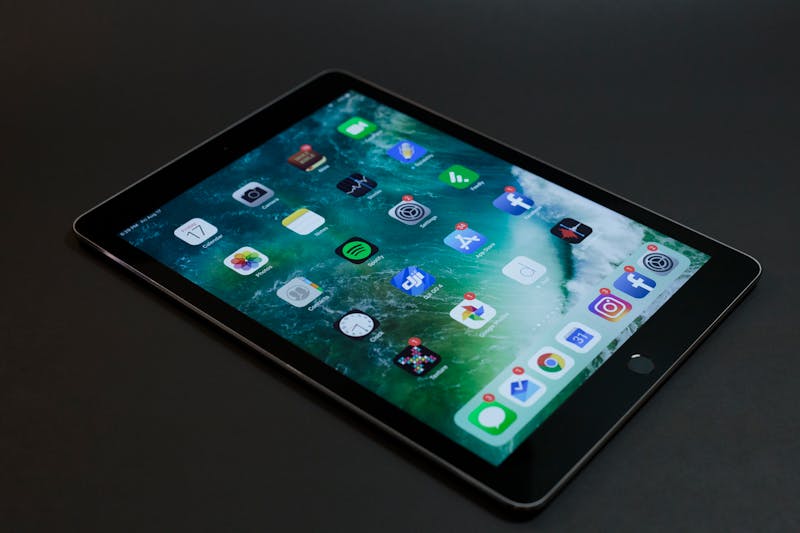
Lugging a heavy laptop across campus gets old by the second week of freshman year. A tablet weighing under a pound handles lecture notes, PDF textbooks, research papers, and even video calls — without the bulk or the four-hour battery anxiety that plagues aging laptops. But the tablet market in 2026 is crowded, and spending more than $400 when you are already drowning in tuition costs feels reckless.
After comparing screen quality, stylus support, battery life, and app ecosystems across dozens of models, these five tablets stand out as the smartest picks for students who need real productivity without a premium price tag.
1. Apple iPad 10th Generation — Best Overall for College Students
The 10th-gen iPad remains Apple's sweet spot for students. Its 10.9-inch Liquid Retina display renders textbook diagrams and lecture slides with sharp clarity, and the A14 Bionic chip keeps multitasking smooth even with twenty Safari tabs, Notion, and a Zoom call running simultaneously. At around $349, it undercuts the iPad Air by a wide margin while delivering 90% of the same experience.
Battery life stretches to roughly 10 hours of mixed use — enough to survive a full day of classes without hunting for an outlet. The USB-C port finally replaces Lightning, which means one cable charges your tablet and your laptop. Apple Pencil support (1st gen with USB-C adapter) turns it into a handwriting powerhouse for math equations and annotated readings. The 12MP front camera with Center Stage keeps you centered during video calls, which matters more than you think when your professor grades participation.
Pros: Excellent display, long battery, massive app ecosystem, affordable entry to iPadOS
Cons: Apple Pencil 2 not supported, no Face ID, Magic Keyboard Folio sold separately at $249
2. Samsung Galaxy Tab S6 Lite (2024) — Best Android Tablet for Note-Taking

Samsung bundles the S Pen in the box — no $100 add-on required. That alone makes the Galaxy Tab S6 Lite one of the best value propositions for students who take handwritten notes. The 10.4-inch TFT display is bright enough for indoor use, and at around $250-$300, it leaves room in your budget for a decent case and a semester's worth of coffee.
The Exynos 1280 processor handles everyday student tasks without issue: Google Docs, Samsung Notes (which converts handwriting to text surprisingly well), YouTube lectures, and even light photo editing. The 7,040 mAh battery pushes past 12 hours of video playback. Android's flexibility means you can sideload apps, customize your home screen, and use split-screen multitasking more freely than iPadOS allows. The main drawback is the tablet app ecosystem — Android still trails iPadOS in optimized tablet apps, though the gap has narrowed significantly.
Pros: S Pen included, excellent battery, affordable, expandable storage via microSD
Cons: Display not as vibrant as AMOLED, processor struggles with heavy multitasking
3. Amazon Fire Max 11 — Best Budget Tablet Under $200
If your primary tablet tasks involve reading, watching recorded lectures, and light browsing, the Fire Max 11 punches well above its $150-$200 price range. The 11-inch 2K display is the largest in Amazon's Fire lineup, and it supports a stylus (sold separately) for basic note-taking. The aluminum body feels more premium than anything else at this price point.
Amazon's Fire OS is the elephant in the room — it's a modified version of Android without native Google Play Store access. You can sideload Google apps with some effort, but the experience is never as seamless as a native Android tablet. For students who primarily use Amazon's ecosystem (Kindle for textbooks, Alexa for reminders, Prime Video for study breaks), this tablet makes perfect sense. The 14-hour battery life is genuinely impressive, outlasting every other tablet on this list.
Pros: Unbeatable price for an 11-inch display, stellar battery, solid build quality
Cons: No Google Play Store natively, limited app selection, camera quality is mediocre
4. Lenovo Tab P12 — Best Large-Screen Tablet for Research and Reading

The Lenovo Tab P12 packs a 12.7-inch 2K LCD that makes reading academic papers and textbooks genuinely comfortable — no more pinching and zooming through dense PDF pages. The MediaTek Dimensity 7050 chip handles productivity apps and split-screen workflows without lag, and 8GB of RAM means you can keep multiple apps open without constant reloading.
Lenovo bundles a stylus and a kickstand folio case in the box, which saves you $100+ compared to competitors that charge for both accessories. The quad JBL speakers produce surprisingly rich audio for lecture recordings and study music. At around $280-$350, it offers more screen real estate than any other tablet in this price range. The trade-off is portability — at 12.7 inches, it fills a backpack the way a small laptop would.
Pros: Massive display, stylus and case included, quad speakers, great value
Cons: Heavier than 10-11 inch tablets, limited software update track record from Lenovo
5. Microsoft Surface Go 4 — Best Tablet-Laptop Hybrid for Windows Users
Some students need actual Windows — for specific software requirements in engineering, business, or design programs where iPadOS and Android simply cannot run the required tools. The Surface Go 4 fills this niche at $399. Its 10.5-inch PixelSense display runs full Windows 11, meaning you can install desktop applications like Excel, MATLAB, AutoCAD LT, or Visual Studio Code without compromise.
The Intel N200 processor is modest but adequate for document work, web browsing, and light creative tasks. Pair it with the Type Cover keyboard ($100 extra, unfortunately) and you have a legitimate ultraportable laptop replacement weighing just 1.2 pounds. Battery life hovers around 8 hours — decent but not class-leading. The webcam and microphone quality are above average, making it a solid choice for online classes and group project calls.
Pros: Full Windows 11, runs desktop apps, excellent build quality, great webcam
Cons: Type Cover sold separately, modest processor, 8-hour battery is below average for tablets
How to Choose the Right Tablet for College
Your choice depends on three factors: what software you need, how you take notes, and how much you can spend. If your courses require specific desktop applications, the Surface Go 4 is your only real option under $400. If handwritten notes are your priority and budget is tight, the Galaxy Tab S6 Lite with its included S Pen wins on value. If you want the broadest app ecosystem and the smoothest experience, the iPad 10th Gen remains the default recommendation for a reason.
Consider whether you already own other devices in the same ecosystem. An iPhone user benefits from iCloud sync, AirDrop, and Handoff on an iPad. A student with a Windows desktop might prefer the Surface Go for seamless file access. Brand loyalty sounds trivial until you realize how much time ecosystem integration saves over four years of college.
Our Top Pick
For most college students, the Apple iPad 10th Generation offers the strongest combination of display quality, battery life, app ecosystem, and long-term software support. It handles every academic task gracefully and holds its resale value better than any Android alternative. But if budget is the deciding factor, the Samsung Galaxy Tab S6 Lite with its included S Pen delivers remarkable value that is hard to beat at $250.
Comments
Post a Comment